Take table bookings for your restaurant
Let guests book a table on your site, set up your tables and opening hours, and keep track of the evening on a floor plan.
Bookings has its own mode for restaurants, cafés and bars. Guests choose how many they are, a day and a time, and the booking lands on your floor plan. You find it under Bookings in the menu on the left.
Set it up
-
Open Bookings and choose your site. When the setup asks what people book with you, choose Tables.
-
Add your tables: how many of each size, plus any bigger tables. Then your opening hours, and a second sitting if you have both lunch and dinner.
-
Choose how late guests can cancel, add a line for every confirmation mail if you like, and switch bookings on.
-
Add the Book a time block to your site in the editor, and publish. For a restaurant it becomes a table booking by itself.
Your evening on a floor plan
Overview shows your tables as they stand in the room, with the day's guests. Switch to Timeline or List for other views of the same bookings.
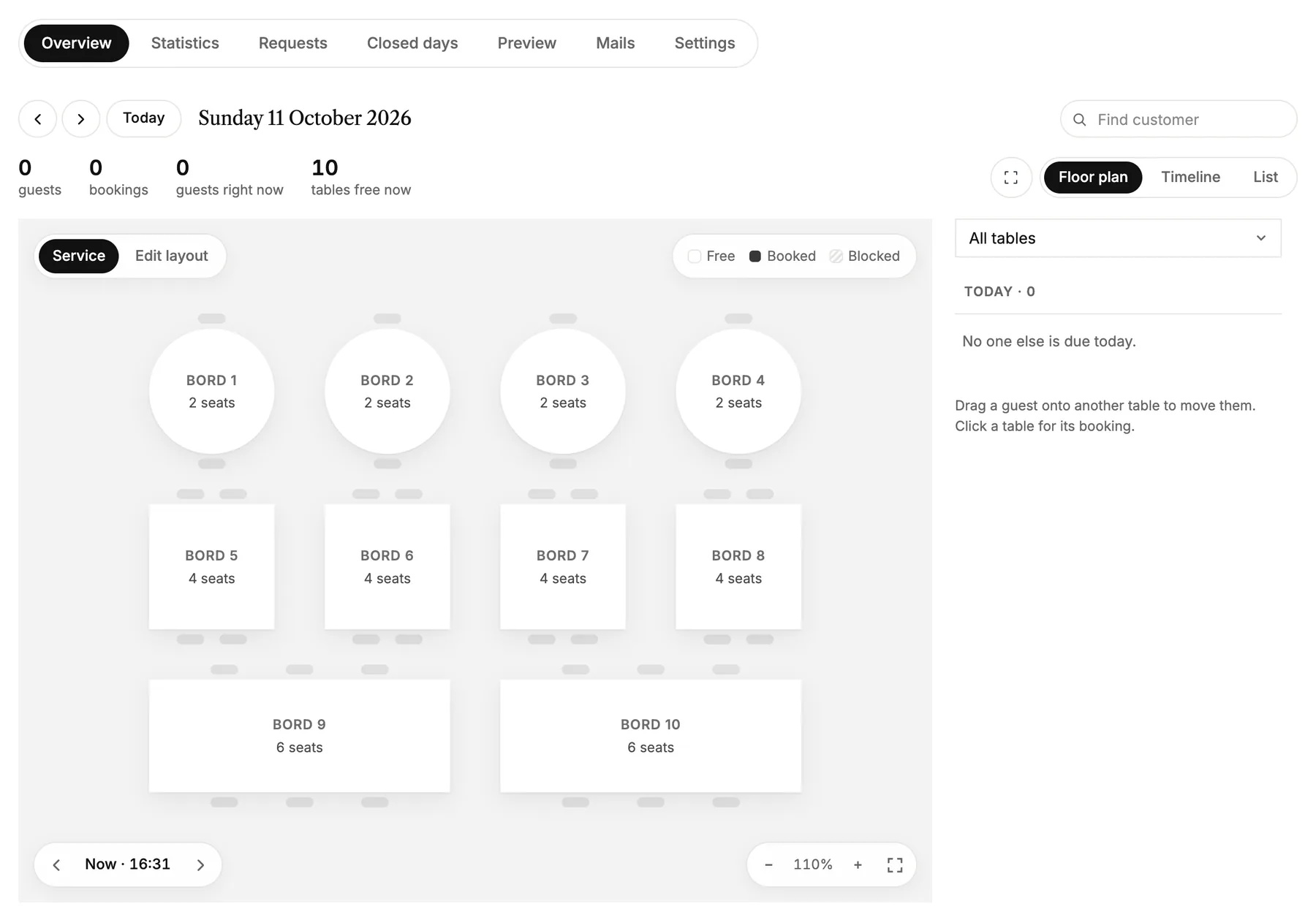
- Click a table to see its booking.
- Drag a guest onto another table to move them.
- Edit layout lets you move the tables around so the plan matches your room.
Opening hours and how long a table is booked
Everything about how guests book sits under Settings:
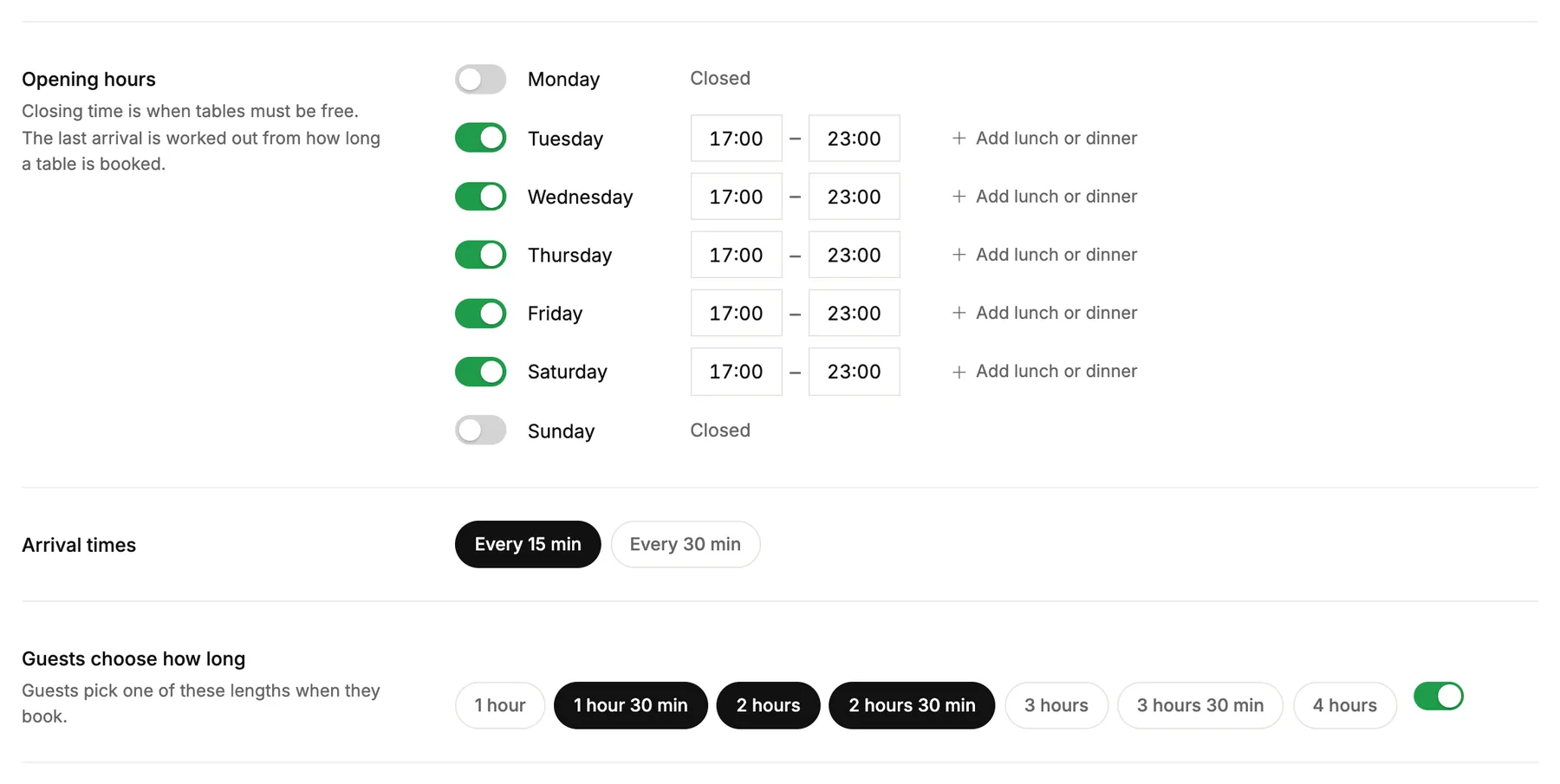
- Opening hours per weekday. The closing time is when tables must be free, so the last arrival is worked out for you.
- Arrival times: every 15 or every 30 minutes.
- Guests choose how long: the lengths guests can pick between. Turn it off, and every booking gets the same length.
- Clearing time between bookings gives you time to reset a table before the next guests.
- Largest group online: bigger groups can't book directly. They're asked to write to you instead, and their message lands under Requests.
- Max guests arriving at the same time keeps the kitchen from getting everyone at once.
Closed days
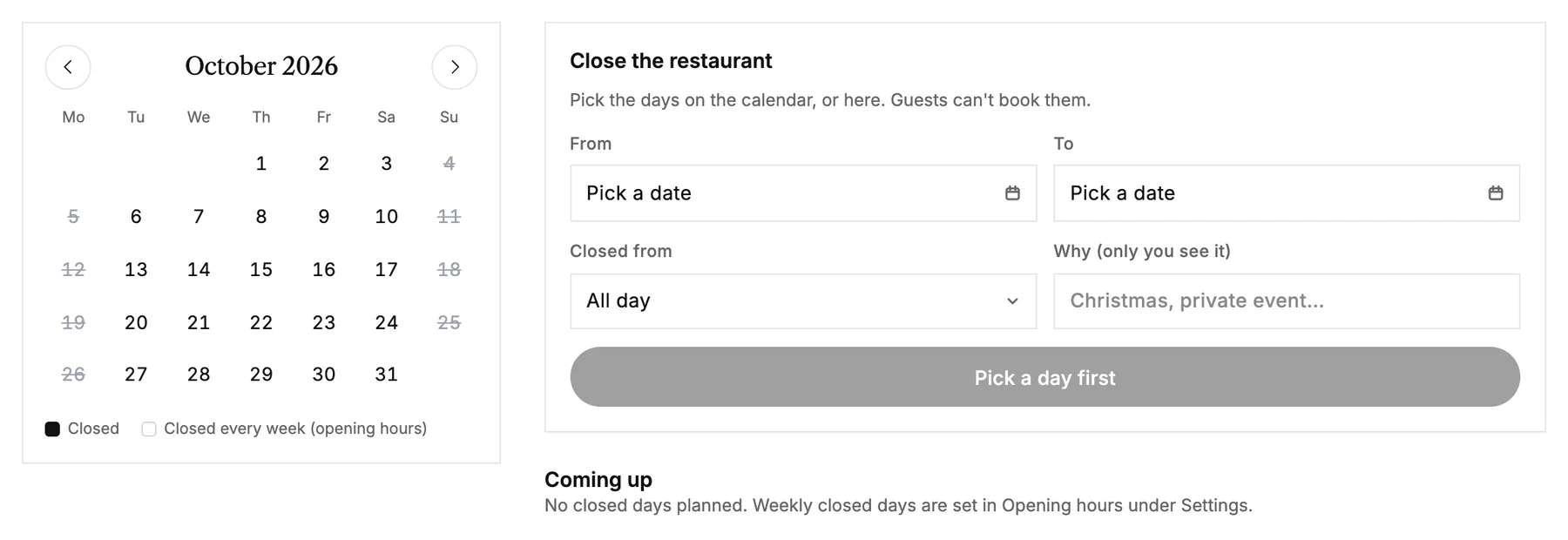
Holidays, private events or a day off go under Closed days. Pick the days on the calendar, add a note only you can see, and guests can't book them. Days you're always closed are set in your opening hours.
What guests see
Preview shows the booking just as guests see it, with your real free times. Nothing you click there makes a booking.
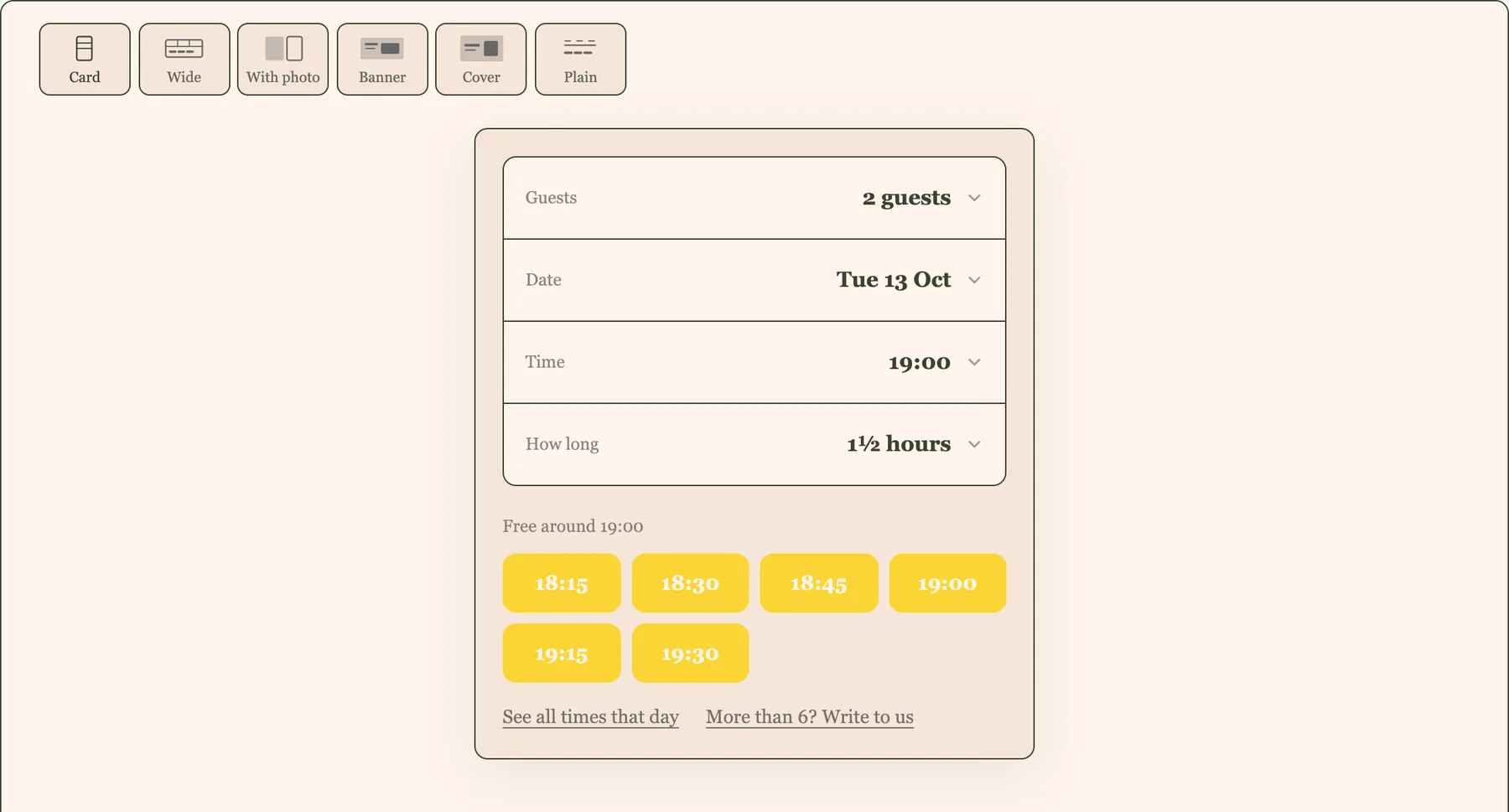
- Guests get a confirmation mail with a link to cancel, up to the time you chose.
- You get a mail for every new booking, and you choose which mails go out under Mails.
Booking appointments with a person instead? See Set up online booking.