Restore an earlier version
Go back to how your site looked before: see what a restore changes, then restore it as a draft or put it live.
The studio keeps earlier versions of your site, so you can go back if a change didn't work out. Use undo for the edits you just made, and History in the editor for anything older.
Restore a version
-
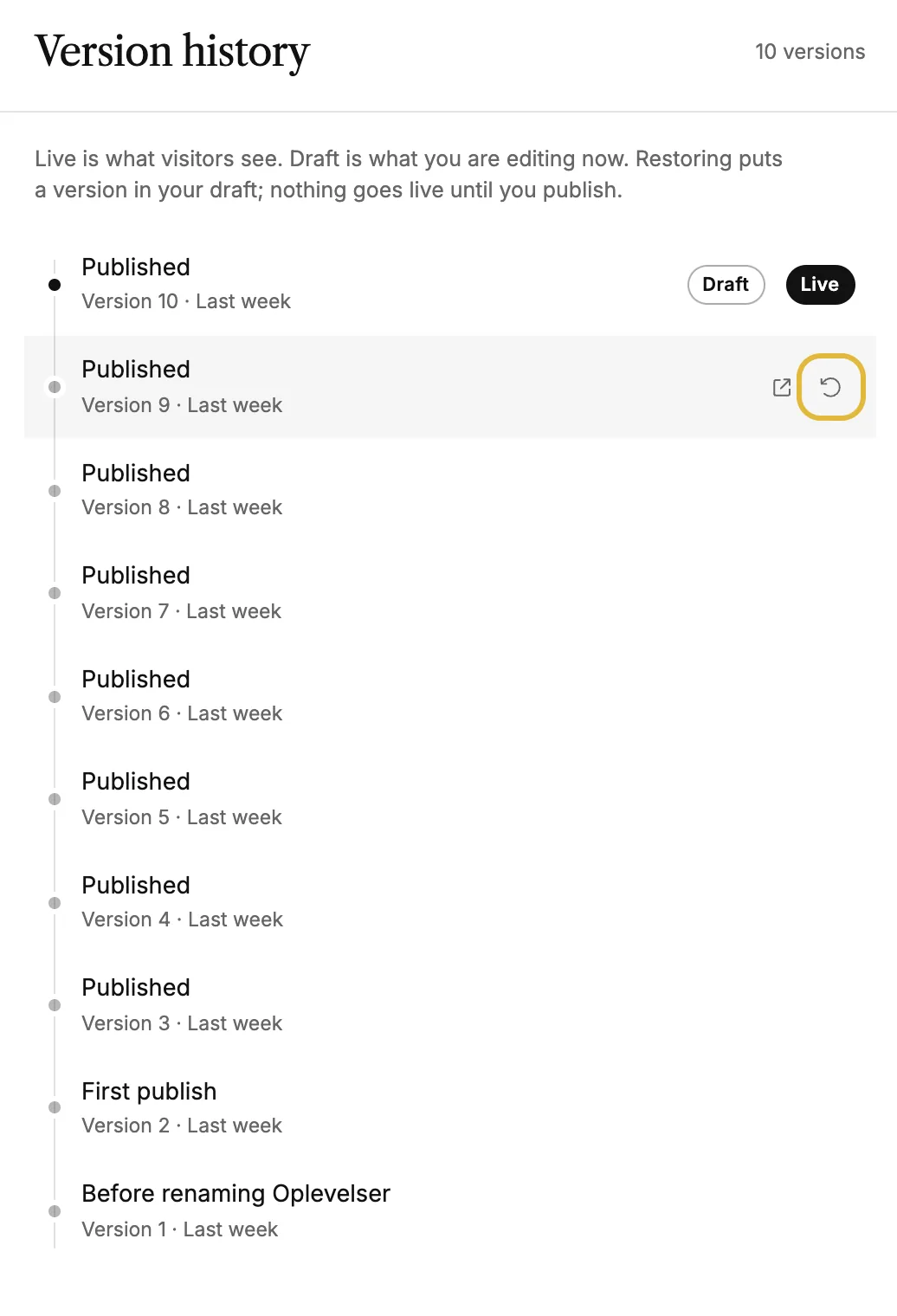
In the editor, click History at the top. Version history lists your versions, newest first. Live marks the one visitors see, Draft the one you're editing.
-
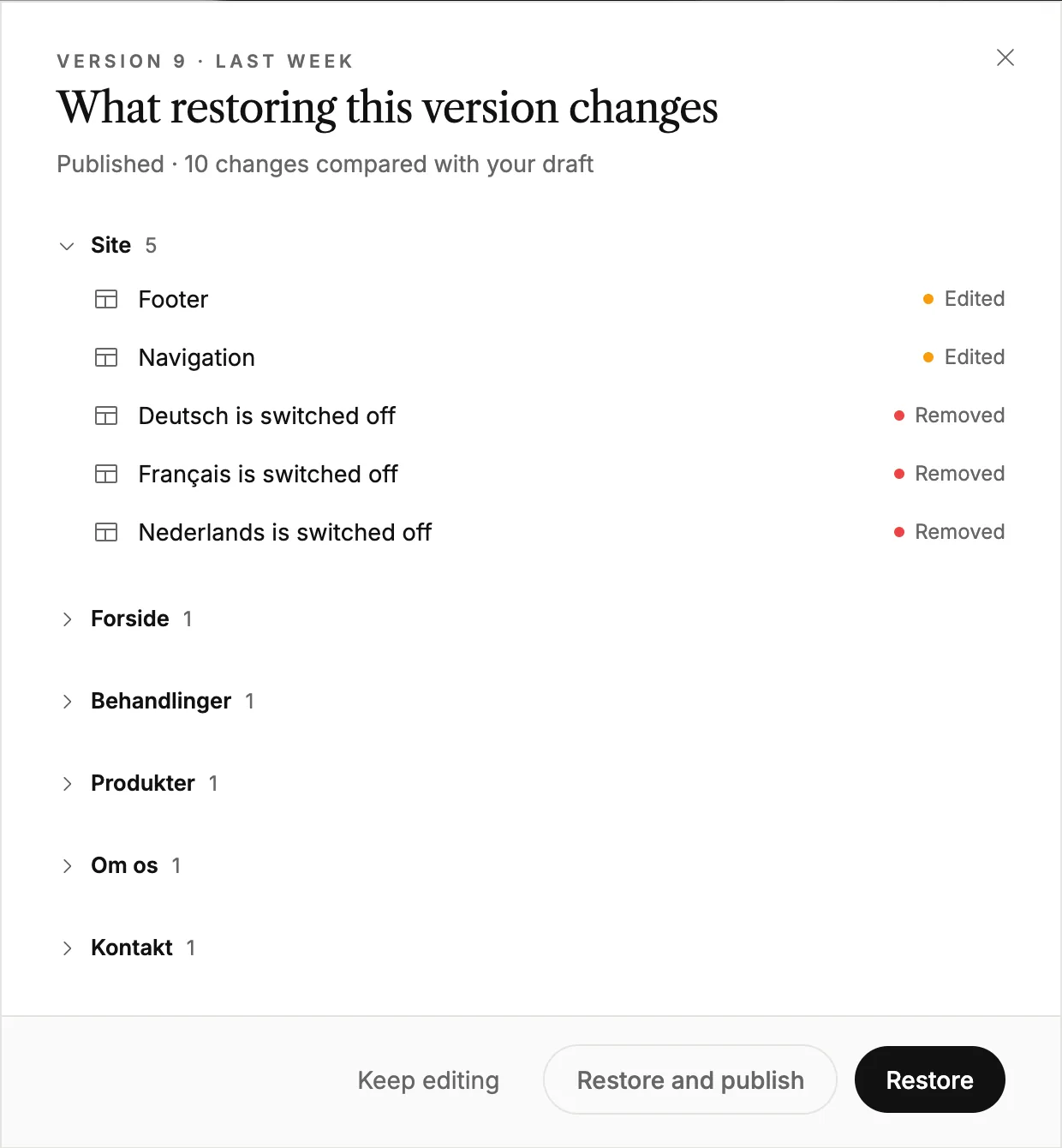
Hover the version you want and click its restore icon. You see what restoring it changes compared with your draft, page by page.
-
Click Restore to put that version in your draft, so you can check it before you publish. Or click Restore and publish to put it live right away.
When versions are saved
A version isn't saved for every small edit. It's saved when you publish, and just before bigger changes: deleting or renaming a page, restoring a version, and edits made by AI. The newest 100 versions are kept, and the live one is never removed.
Other ways to go back
- ⌘Z (Ctrl+Z on Windows) undoes your recent edits in the editor, up to 100 steps. It covers what you've done since you opened the editor.
- Discard unpublished changes on the dashboard puts your draft back to what's live. It doesn't save a version first, so it can't be undone.
- A deleted site stays in the trash for 30 days and can be restored from there.
Good to know
- Page names, addresses and the order of pages change on your live site straight away when you restore. The review warns you when that happens.
- The activity log shows who changed what and when. It's a record, not a backup, so restore from History.