Write and publish articles
Write news, guides or blog posts, let AI draft the first version, and publish them now or later.
Articles are your site's blog: news, guides, stories and offers. You write them under Articles in the menu on the left, and they get their own page on your site.
Write an article
-
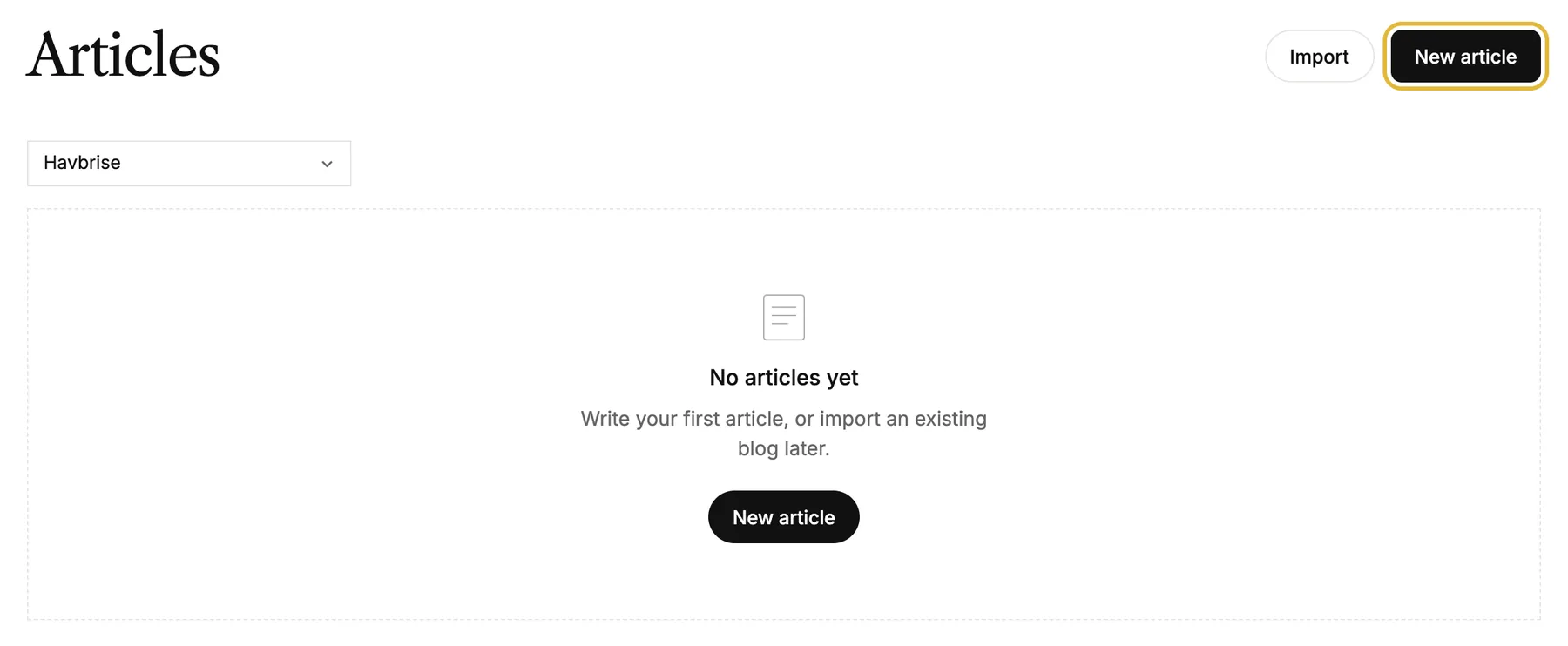
Open Articles, choose your site, and click New article.
-
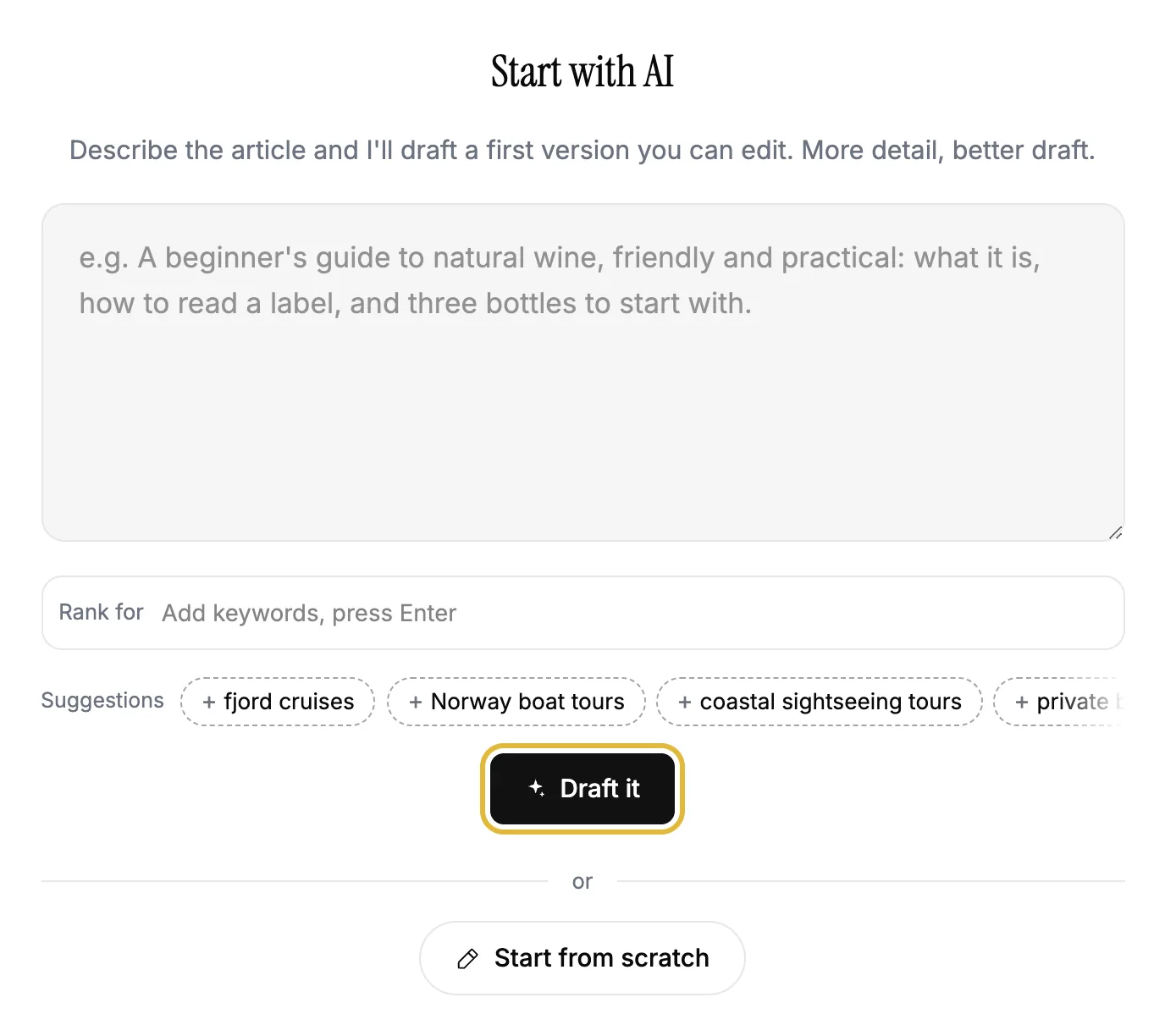
Describe what the article should be about and click Draft it. AI writes a first version you can edit. Add words people search for under Rank for to steer it. Or click Start from scratch.
-
Give it a title and a cover image, and build the article with Add a block: text, headings, images, quotes, galleries, videos and buttons.
-
Everything is saved as you write. Click Done to go back to your list.
On a text block, the AI button rewrites it for you: improve, shorten, lengthen, warmer or more formal, or say what you want.
Publish or schedule
An article is a draft until you publish it, from the menu at the top of the editor: Publish now, or Schedule… to pick a date and time. Articles go live on their own, without publishing the rest of your site.
Settings for each article
The Settings tab in the editor has the rest:
- Publish date, Written by and the article's Web address.
- A Summary for your list of articles. Write it for me drafts one.
- Categories, so readers can filter your articles.
- Title on Google, Description on Google and Image when shared, for search results and social media.
Where articles show up
- On their own page on your site, at /articles, with a filter per category.
- As a link in your footer. Turn it on or off with Footer link on the Articles page.
- On any page, with the Latest articles block. It shows your newest articles and updates by itself.
Good to know
- Import brings in your articles from a WordPress site.
- On a site with more languages, the language menu in the editor adds a translated version of the article. See Translate your site.
- Deleting an article can't be undone.