Connect your own domain
Put your site on your own address, like bistroravn.dk: the records to add at your domain provider, and what to do while you wait.
Every site starts on an address at studio.linjerum.com. When you connect your own domain, your site moves there and gets a secure https certificate automatically. You need a domain you've bought from a domain provider; we don't sell domains.
Before you start
- A domain you've bought, for example at Simply.com or Cloudflare Registrar.
- A login for that provider, so you can open its DNS settings and add two or three records.
- Your site published. Until it is, visitors on your domain see a coming-soon page.
Connect the domain
-
On your site's dashboard, click Domain in the list on the right.
-
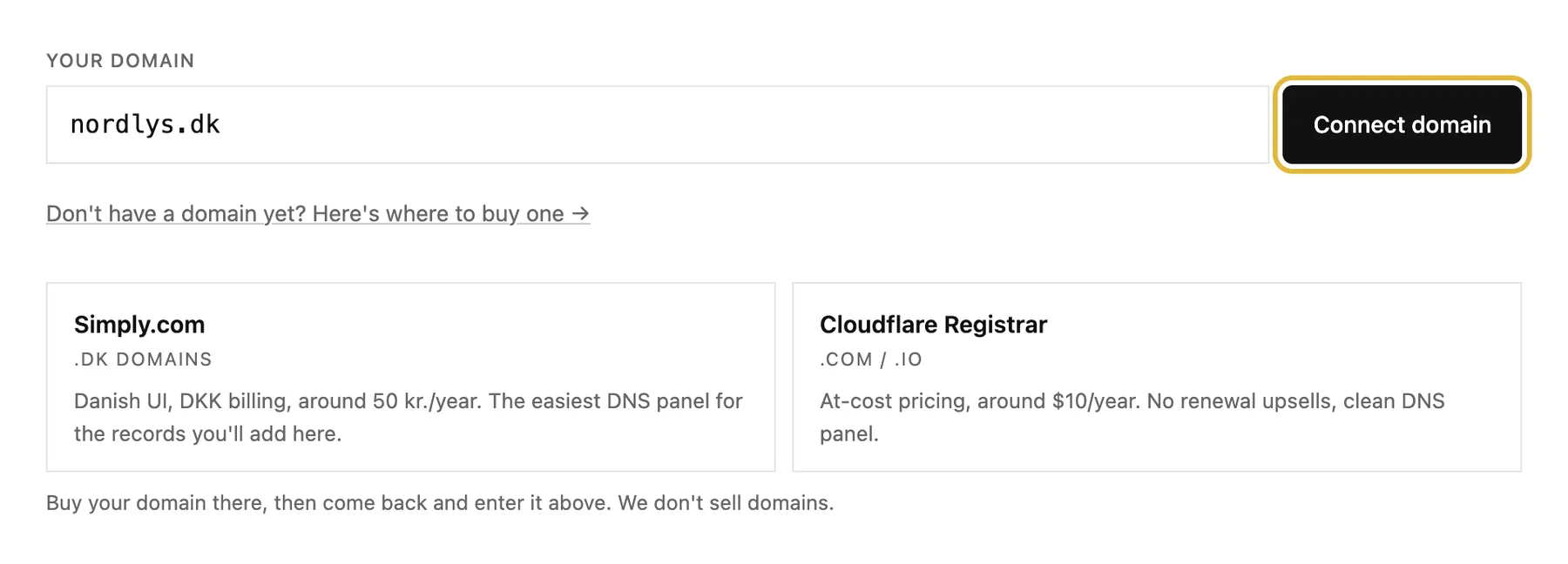
Type your domain under Your domain, without www, and click Connect domain. No domain yet? The link under the field shows two good places to buy one.
-
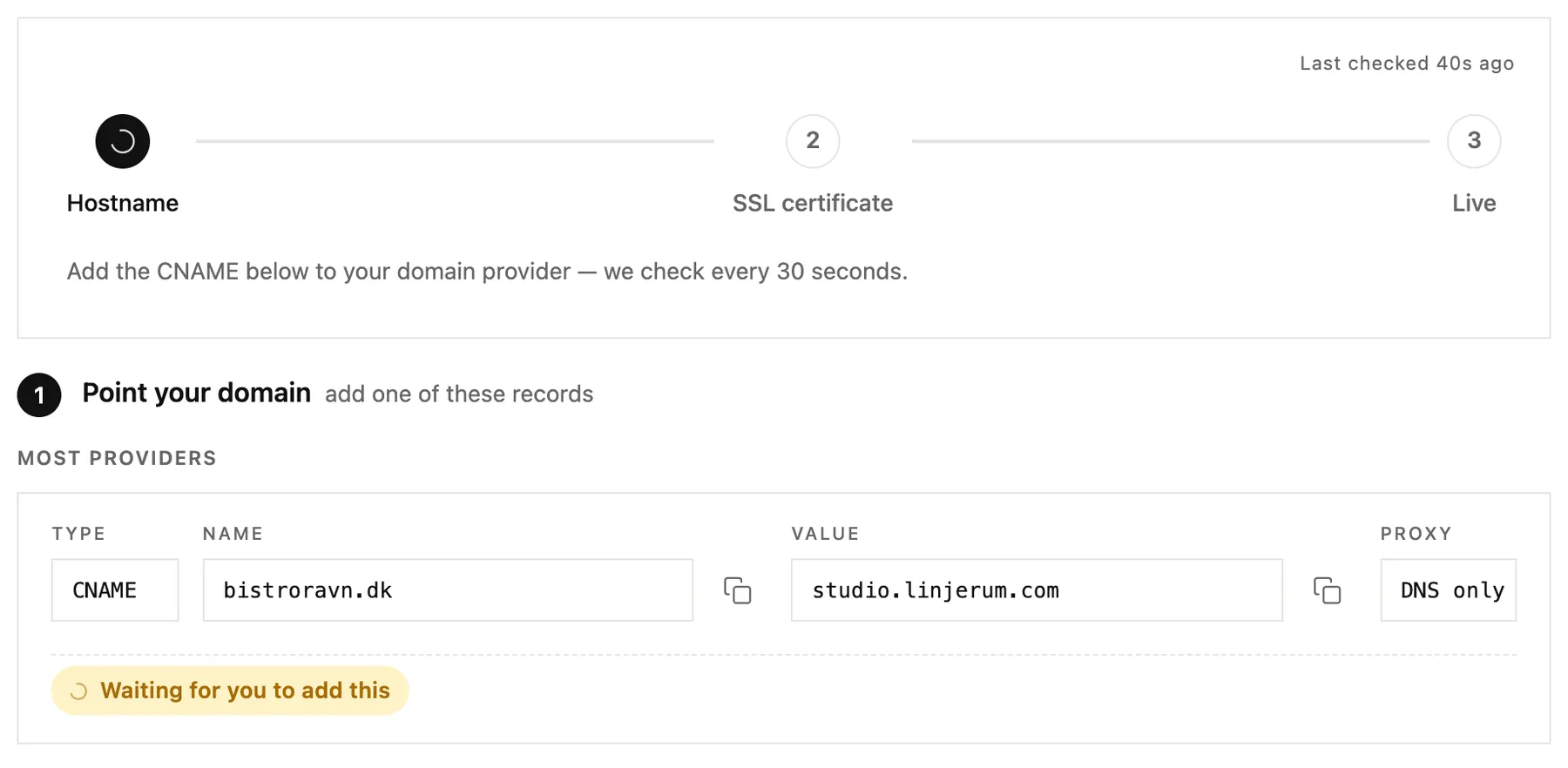
Now add the records you're shown at your domain provider. Step 1 points your domain at us: add the CNAME record, or the A records if your provider won't allow a CNAME on the bare domain. Use the copy buttons, so nothing gets mistyped.
-
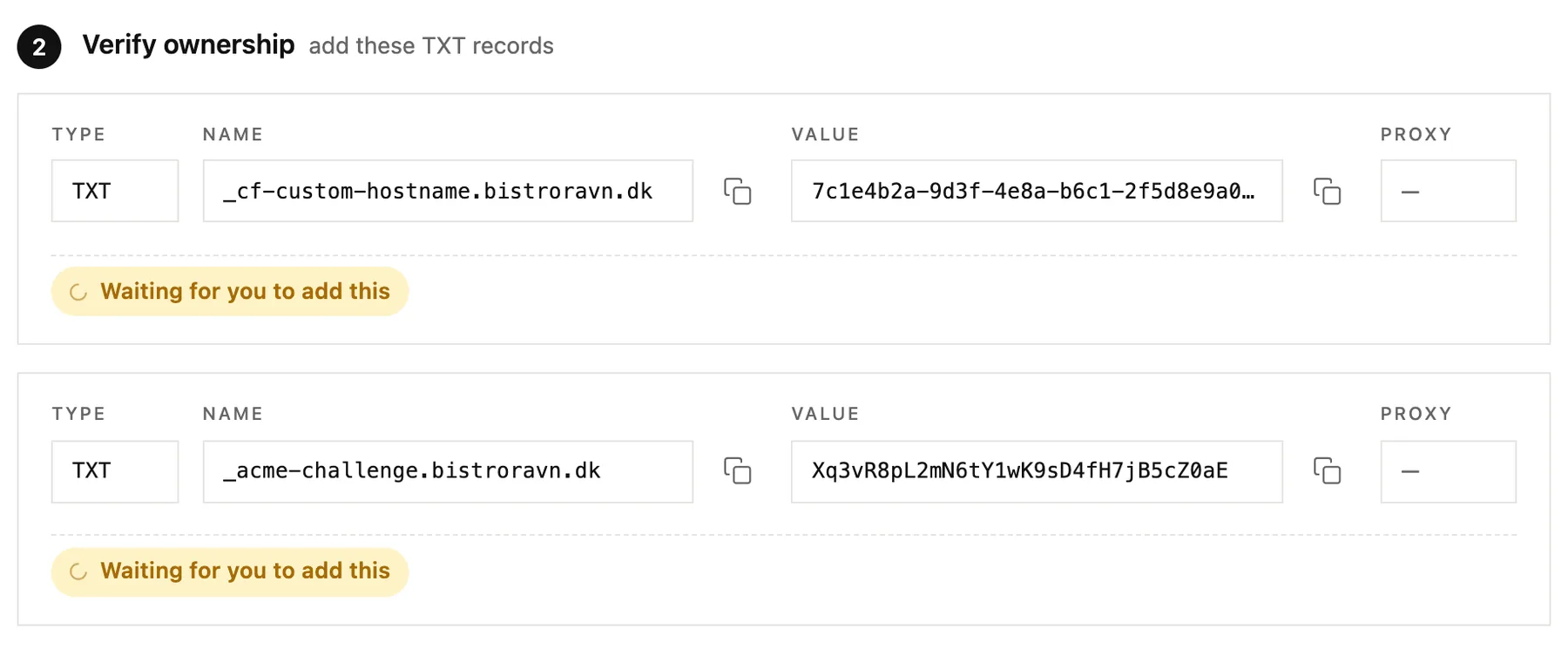
Step 2 proves the domain is yours: add the TXT records as well.
-
Come back and click Re-check now, or simply wait: we check every 30 seconds. Most domains are live within 2 to 30 minutes.

While you wait
The progress bar at the top has three steps: Hostname, SSL certificate and Live. Each record is marked as soon as it's found. When all three steps are done, your site is live on your domain, with https.
If it doesn't connect
- Nothing after 30 minutes? Compare each record with what's shown, letter for letter, and click Re-check now.
- Is your DNS at Cloudflare? Set the CNAME to DNS only, the grey cloud, not proxied.
- A new TXT record turned up? Cloudflare sometimes asks for another one. Add it too; the old ones can stay.
- Stuck? Common issues at the bottom of the domain page answers the most common questions.
Good to know
- Your email isn't affected. We only ask for the records that point to your website; your email records stay as they are.
- Moving from an old website? Under Redirects on the same page, send old page addresses to their new home, so links and search rankings keep working.
- To stop using the domain, click Disconnect. Your site moves back to its studio.linjerum.com address.