Plans and billing
Choose a plan for your site, change your card, find your invoices and cancel.
Building your site is free, for as long as you like. You choose a plan when you want to publish it. Each site has its own plan.
Choose a plan
-
Open Billing in the menu on the left, and click Choose a plan on your site. You get here from the publish window too.

-
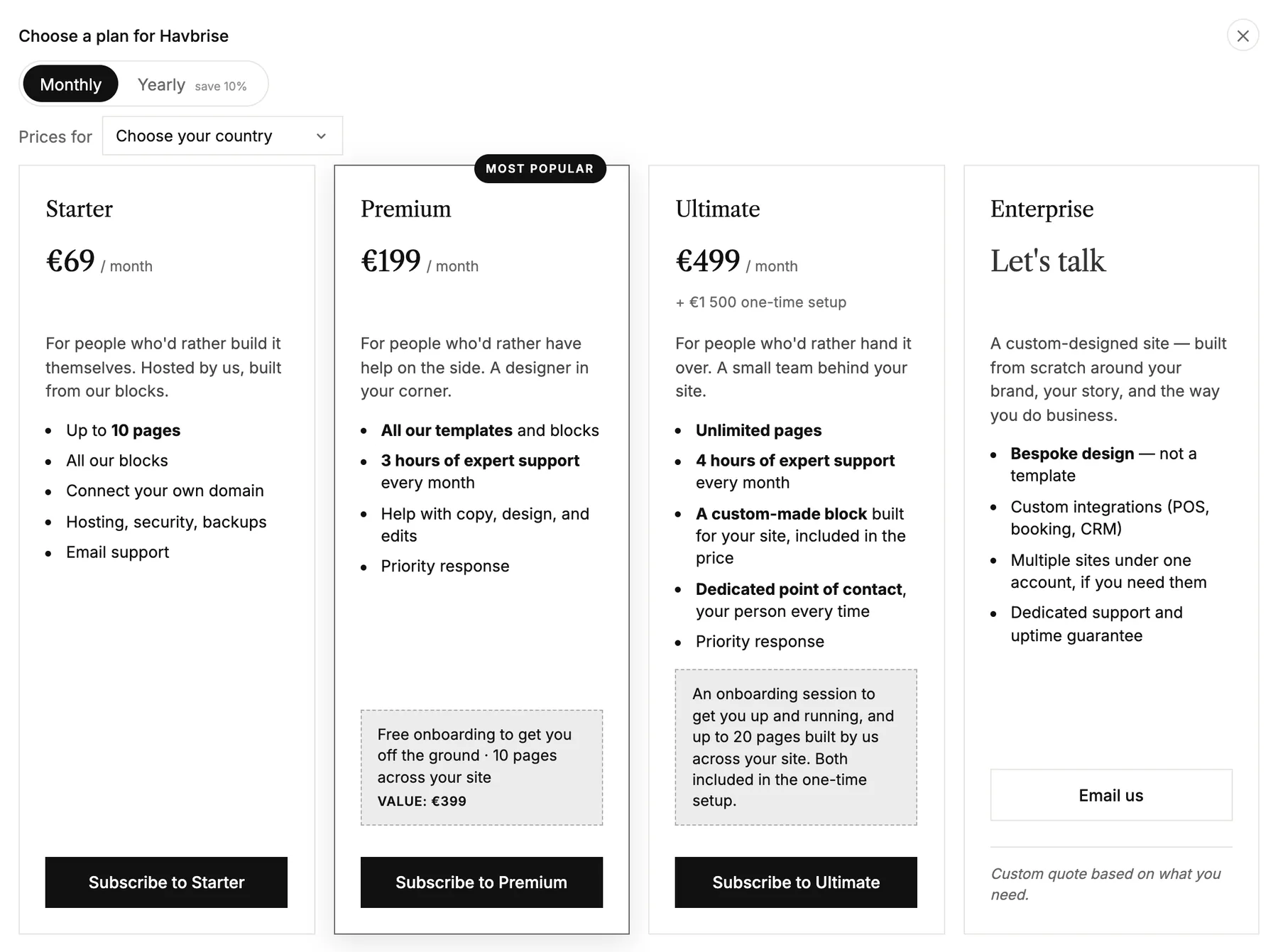
Choose Monthly or Yearly, which saves 10%, and your country, which sets the currency.
-
Click the plan you want. You pay securely with Stripe, our payment partner, and come straight back to publish.
The plans
- Starter: up to 10 pages, all our blocks, your own domain, hosting, security and backups, and email support.
- Premium: all our templates as well, 3 hours of expert support every month for copy, design and edits, and priority response.
- Ultimate: unlimited pages, 4 hours of expert support every month, a custom-made block for your site and your own point of contact. It has a one-time setup fee.
- Need more? Write to us about Enterprise.
Card, invoices and cancelling
Once your site has a plan, Manage in Stripe on the Billing page opens Stripe. There you change your card, download invoices and receipts, and cancel.
- If a payment fails, your site stays live while the payment is tried again, and we send you a mail.
- When a plan ends, the site is taken offline and we send you a mail. Nothing is deleted: your site stays in the studio, and you can publish it again with a new plan.
- Questions about invoices or VAT? Write to us. The address is at the bottom of the Billing page.