See your visitors
See how many people visit your site, where they come from and what they do, without any tracking code.
Every site comes with its own visitor numbers. There's nothing to set up: no Google Analytics, no tracking code, and no cookie banner needed for it.
Read your numbers
-
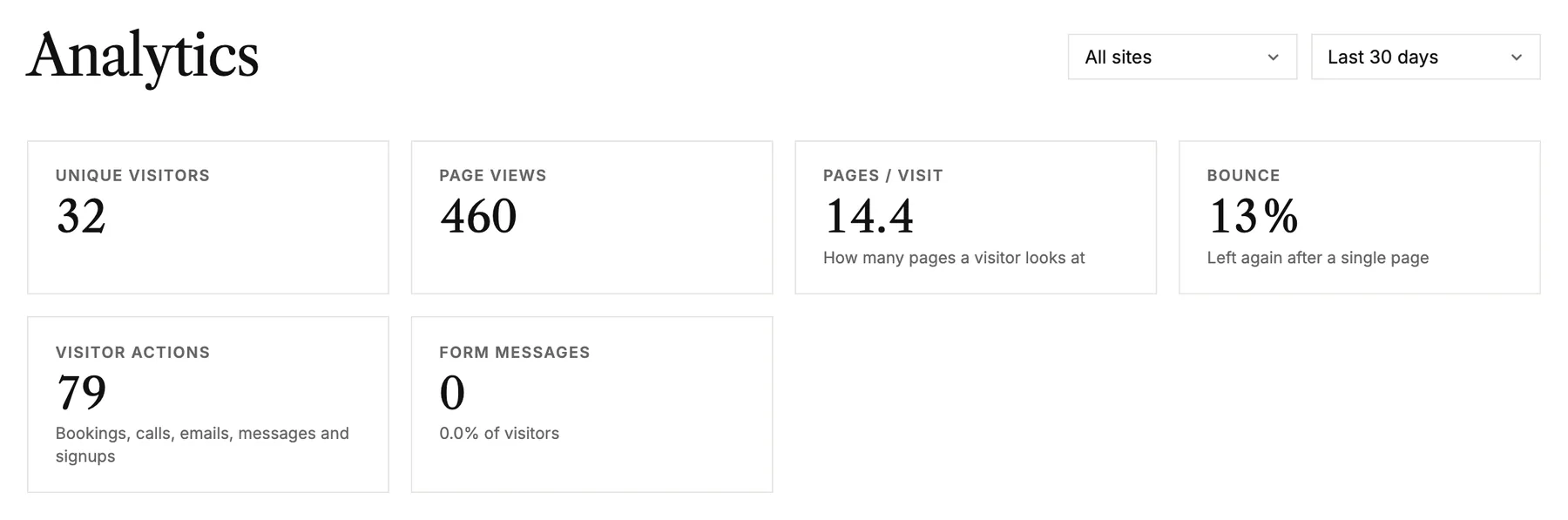
Open Analytics in the menu on the left. Choose a site, or All sites, and a period at the top right.
-
The cards show unique visitors, page views, pages per visit, how many leave after one page, and what visitors did to get in touch. Each one is compared with the period before.
-
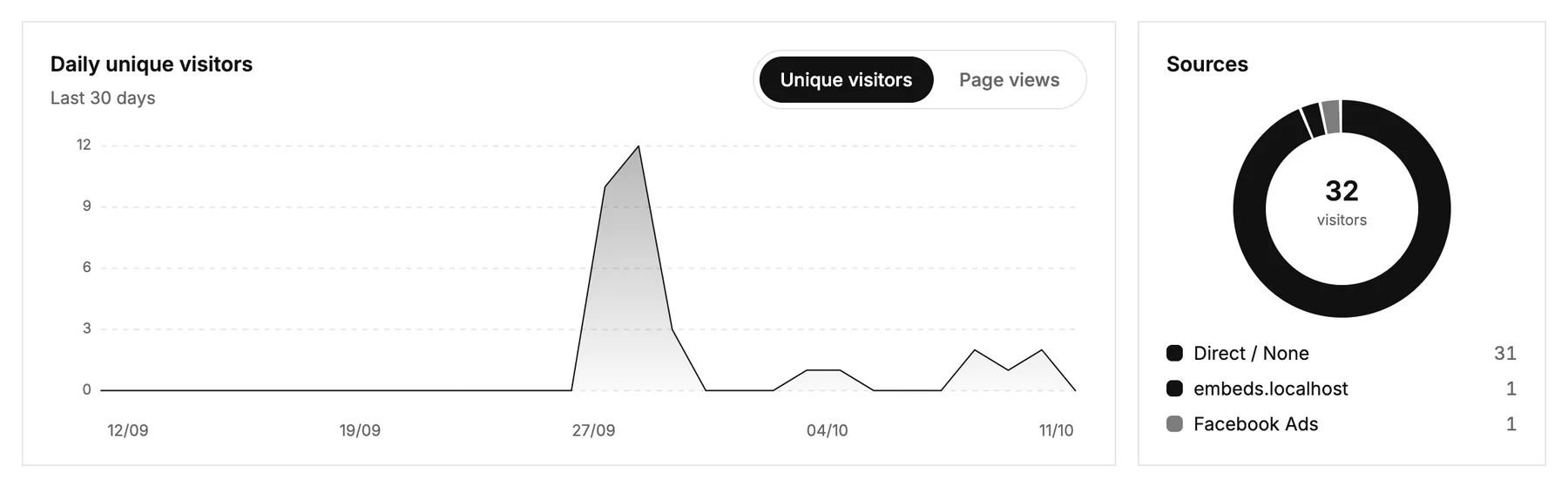
Below, follow your visitors day by day, and see where they came from: search, social media, other sites or directly.
Move to sites
- Busiest days, Time of day and Devices show when and how people visit.
- Actions lists what visitors did to reach you: tried to book, tapped your phone number, clicked your email, sent a message and more. Click a row to see where it happened.
- Top pages, Entry pages, Countries and Campaigns round it off.
Good to know
- Only your published site is counted. Your own work in the editor and in previews isn't.
- Just published? The first numbers show up as soon as someone visits.
- Numbers can differ from Google Analytics, which counts in its own way and misses visitors who say no to cookies.